For developers & ISVs
Print receipts through a local API.
Send receipt jobs and read printer status from software on the same trusted network as Proxy Node Raw. Start with the supported integration recipe, then test your exact printer and client. The API does not bypass POS vendor restrictions or make an incompatible printer work.
 Proxy Node Raw · illustration
Proxy Node Raw · mDNS at proxynodes-<id>.local · JSON on :80 · raw ESC/POS on :9100
The API
One call. The node does the last mile.
Nodes announce themselves over mDNS and serve JSON on a trusted, restricted segment of your network. Use JSON for supported ESC/POS printers, drawer pulses and USB peripherals, or send your own ESC/POS bytes. RS-232 transport is in development.
Start here: the supported integration recipe explains the supported client types, the required network and what to verify on your printer. Use a native app, a local service, or the node's own page. An HTTPS website cannot directly call the node's plain-HTTP API as though it were a hosted service.
Print a receipt
curl http://proxynodes-pn-7f3a.local/print \
  -X POST -H "content-type: application/json" \
  -d '{
    "type": "print",
    "id": "receipt-001",
    "endpoint": "receipt",
    "lines": [
      { "type": "banner", "value": "ORDER", "align": "center" },
      { "type": "text", "value": "Table 4", "bold": true, "size": "2x" },
      { "type": "barcode", "symbology": "qr", "value": "ORDER-1042" },
      { "type": "cut" }
    ]
  }'
Replace the example hostname with your node's address. Choose an endpoint from its status response and use a fresh job ID. In strict mode, include your X-PN-Api-Key header. IDs correlate responses; they do not prevent duplicate prints. Check an uncertain result before retrying.
Seven line types: text (with bold, alignment, and double width or height), banner block lettering the node draws itself, rules, feeds, cuts, barcodes, and 1-bit rasters. The node wraps text at the paper’s real column count, so a line that will not fit comes back as an error rather than as a receipt missing its right-hand half.
Ask how the hardware actually is
curl http://proxynodes-pn-7f3a.local/status

{
  "identity": {
    "deviceId": "pn-7f3a", "variant": "station-hub",
    "firmwareVersion": "1.2.55",
    "slot": "ota_0",
    "endpoints": [{ "id": "receipt", "kind": "printer", "transport": "usb" }]
  },
  "online": true,
  "uptimeSeconds": 86213,
  "printers": [{
    "type": "printer_status", "endpoint": "receipt",
    "known": true, "online": true, "paperOut": false, "coverOpen": false,
    "drawerOpen": false
  }]
}
Example response; the firmware version and endpoint list depend on your node. Live paper, cover, and drawer state are read over DLE EOT. When a reading can't be taken — a write-only printer, a dead status line — the driver layer models it as known: false rather than inventing "no faults", so "paper is fine" and "I can't tell" never get conflated.
Already speak :9100?
If your software prints raw ESC/POS to network printers today, printing needs no code change: point it at the node's :9100 port and DLE EOT status queries are answered too. The drawer is the exception — raw drawer-pulse bytes are dropped on that port, so a POS that opens the till inside its print job must call POST /drawer/kick, or the drawer is unavailable on that setup. Qualify print, cut, status and drawer separately, naming your POS and its version.
Swap printers, not code
Swap one supported ESC/POS printer for another — an Epson, a generic, or a Star model running in its ESC/POS emulation mode — and your software keeps calling the same API. A printer that only speaks StarPRNT is refused by name, not driven.
Tune per printer, on the LAN
Cut clearance, print width, USB pacing — runtime config over PUT /config on the node's own network, persisted on the node. No reflash. There is no remote configuration: our cloud never writes a node's settings.
Nodes can also call out on a schedule, configured over GET/PUT /cloud: heartbeats, an hourly fetch of the recipe table, and — against the Proxy Nodes service — unattended firmware updates. That makes the cloud a control channel for firmware and device support, never for settings: no cloud route writes a node's configuration. The heartbeat can point at your own server instead; see the self-hosted telemetry guide for the wire contract.
Under the hood
One classifier, four verdicts. Refusal is never silent.
Every USB device that appears gets classified, and every branch that turns a device away records why — VID:PID and make/model are logged before any refusal, so a device nobody wrote code for is still nameable by whoever is standing in front of it.
USB plug-in
Device enumerates · VID:PID + make/model recorded
pn_classify_device()
Printer
BOUND in 1,012 ms
Bulk-OUT for bytes, bulk-IN for DLE EOT status. Ready to print.
Scanner
BOUND · HID boot
Reports framed into barcodes; every read logged with a verdict.
Hub
Enumerate children
Powered hubs supported — printer + scanner behind one, simultaneously.
Unknown
Parked, then probed
VID:PID and model kept first, so a device nobody wrote code for is still nameable. Once the bus is quiet it is read — this is the branch a HID scale is recognized on.
A STALL and a silence are different: a stall completes the transfer and the device stays bound — one job lost, not the printer. A silence marks it not-ready. Every rejection names the reason GET /status will report.
Scanners
Every read gets a verdict.
A keyboard-wedge scanner types whatever it decodes and never explains itself. The node keeps the record it doesn't.
curl http://proxynodes-pn-7f3a.local/scans

{
  "endpoint": "scanner",
  "accepted": 214, "rejected": 3, "capacity": 12,
  "scans": [
    { "seq": 217, "value": "0123456789012", "verdict": "accepted",
      "symbology": "ean13", "symbologySource": "aim",
      "ageMs": 1180, "gapMs": 2 },
    { "seq": 216, "value": "0123456789012", "verdict": "duplicate",
      "symbology": "code128", "symbologySource": "inferred",
      "ageMs": 5411, "gapMs": 640 }
  ]
}
GET /scans is a ring of recent reads with a verdict on each. Reads the node refused stay in the log with the reason — duplicate, too_short, burst — because a rule that silently drops a barcode is indistinguishable from a broken scanner.
Symbology is labeled by provenance: aim means the scanner transmitted it, inferred means the node worked it out from the payload — and an inference stays marked, so your software never routes on a guess without knowing it. Decode policy — read modes, timeouts, symbology allow-lists, keyboard layouts — is set over PUT /config, same as printer tuning.
Each read carries a seq, so a consumer that saw 215 and then 217 can look for read 216 while it remains in the bounded log. Older records are overwritten and numbering restarts after boot. GET /scans answers on the digital twin in the same shape, but the twin accepts every read, so test your handling of rejected reads against hardware.
And nodes find each other: GET /peers lists other nodes heard on the same LAN. This is local discovery, not a list of every device in your cloud account.
The rest of the surface
What else a node answers.
Beyond print and status, and with the limits attached. Full reference in the docs — this is the shape of it.
Lock it down: open, admin, strict
A node ships open and stays that way until you set a key. Above open, an X-PN-Api-Key header gates the config class, then the operational class. Firmware replacement is gated in every mode by a separate credential — closed by default, not open.
LimitOne key per node. No per-caller identity, no scopes, no audit trail. Raw :9100 is outside it and cannot be inside it.
Live events over SSE
GET /events streams telemetry, heartbeats, scans and command results, so your software reacts instead of polling.
LimitFour slots. A fifth subscriber gets 503 no_slots — and browser tabs on the node's own page take the same four. Budget for it, or use webhooks.
Webhooks: the node pushes
Set one URL over PUT /config and the node POSTs each event to it, signed X-PN-Signature: sha256=… over the exact body, with a secret it never returns.
LimitBest-effort delivery, one retry; handle duplicate or missing events. The queue holds eight events and drops the oldest when full. Reconcile scan events against GET /scans while their records remain in its bounded, in-memory log; reboot clears that history.
Composed printing, on the node's own page
The node's own page has an operator form that takes a sentence and returns receipt lines for printing. POST /compose is an operator-page feature, excluded from the public node route contract and the digital twin. Its request and response schemas are shared internally; use POST /print for your POS integration.
LimitComposing needs the internet: the node relays to a hosted model with its device token. The local print path does not need that service. The model key stays in the cloud and is never handed to a browser or stored on a node.
Weight from a USB scale
GET /scale answers weight, unit, stability and a status word, and the same block rides GET /status with a telemetry event beside it. A poll rather than a subscription, deliberately — see the slot count.
LimitThe surface, not a bench demonstration. Three absences are modelled separately on purpose: asleep, absent, and refused for want of a USB channel on a full bus.
The recipe store
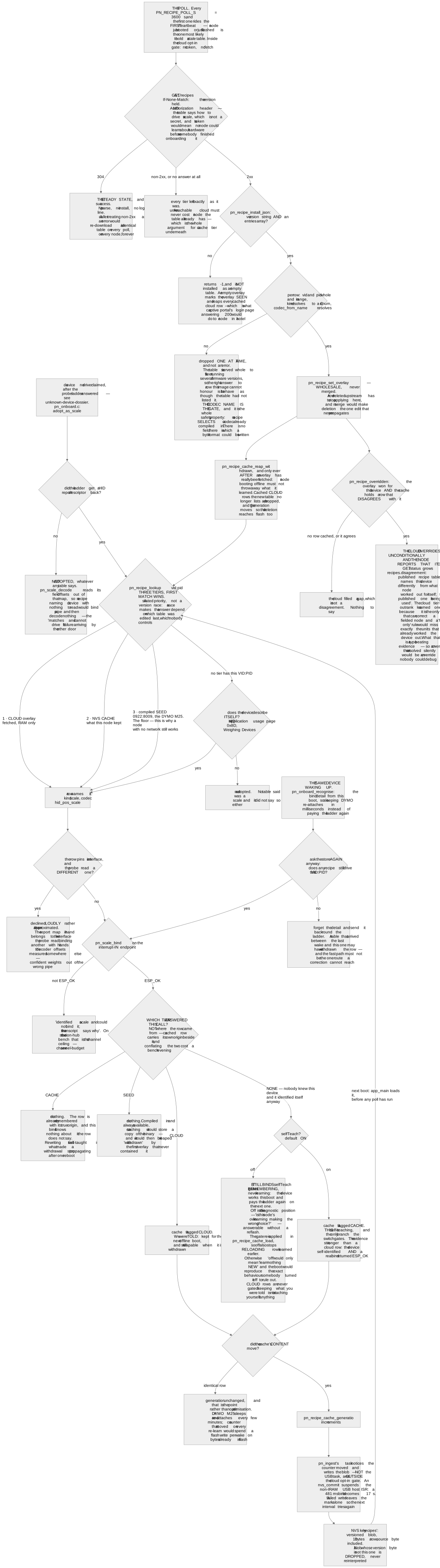
A node that meets a device nobody wrote code for can be taught to drive it without a firmware release. It fetches a table whose rows select a codec already compiled into the image, and the account fleet view reports what each node has learned.
LimitA row selects a codec; the schema has no field a byte format could be written into. That is what makes editing a table a safe way to ship device support — and it means a device with no compiled codec is not reachable this way.
Capture ring for the awkward bugs
GET /capture streams the node's diagnostic traffic ring as NDJSON, and POST /capture/mark writes an operator annotation into it — the one record in a trace that says what the human was doing.
LimitA marker with the ring not recording is refused with 409 capture_off before the body is even parsed. A 200 for a marker that went nowhere is invisible until somebody reads the trace.
Boot history and the crash record
GET /bootlog carries the boot ring and crash summary in non-volatile storage. They survive restarts and firmware updates that preserve that storage; erasing flash or replacing the partition layout can remove them.
Limit"Healthy" means it reached the state it was supposed to reach, and that includes setup mode — a node's successful self-heal is not a failed boot.
Network settings without a cable
A fixed IPv4 address, its netmask, gateway and DNS are set over the API — no reflash and no serial console. Compatibility profiles re-advertise live over mDNS with no reboot at all.
LimitThe address write REPLACES rather than patches: it starts from empty and fills only what you sent, so omitting DNS erases it. It takes effect on the next boot and says so, because re-addressing a live interface drops every socket on it — including the one carrying the response.
The API reference lists common routes, request examples and connection requirements. Use the linked auth, error and webhook guides for access rules, retry decisions and delivery behavior.
Device support
New hardware without a firmware release.
A recipe maps a new device to a codec already included in Nodeware. It can add a compatible model without a firmware release; a new protocol still needs a driver.
CI-first
Exercise your integration before connecting hardware.
The digital twin is a LAN service that mirrors a node's core contract — print, status, events, config and raw :9100 — with fault injection for the failure paths you can't schedule on real hardware. It is not the whole node: its scan log never rejects a read, it serves no /bootlog, /network, /compose or /restart, and it applies no API-key gating.
$ pnpm sim                 # digital twin: HTTP :8080, :9100, mDNS
$ pnpm print               # POST a sample receipt — renders in the console
$ pnpm conformance         # protocol conformance suite vs the twin

sim> paper out             # now make it a bad day
sim> cover open
sim> offline
The conformance suite is the honest answer to "does passing against a simulator mean anything?" — one suite, validated against shared schemas, that targets the twin and a physical node on your bench. Simulator results establish software behavior, not the physical compatibility of your printer, hub or cables.
Protocol conformance is unconditional; physical-effect assertions skip with a printed reason when the hardware isn't attached — never a silent pass.
146 conformance specs · 2338 JS tests · 70 firmware suites under ASan/UBSan
OEM & ISV projects
Build Nodeware into your product.
Developing a POS integration, branded device or hardware product? Tell us what you need to connect, your target hardware, expected volume and deployment schedule. We can discuss the integration and commercial scope with you.
Start with the documented local API and a Raw board for evaluation. Custom firmware, branding, licensing, certification responsibilities and support are agreed for each project; buying a board does not include redistribution rights or a custom build.
Discuss an OEM projectGuides
The reference material we wished existed.
Deep technical guides on the protocols and failure modes of receipt printing — useful whether or not you ever run a node.
- Receipt Printer API: the Complete GuideEvery way software prints receipts in 2026 — ESC/POS, port 9100, vendor SDKs, cloud relays — and how a local HTTP API on the LAN compares.
- ESC/POS Commands: a Practical ReferenceThe ESC/POS commands that matter in production — init, text style, feed, cut, drawer kick, status — with raw bytes and the quirks between brands.
- ESC/POS Emulator: Print Without a PrinterESC/POS emulators compared: which render receipts, which listen on port 9100, and the one that answers DLE EOT status and fakes paper-out on demand.
- Virtual Receipt Printer for Dev and TestingPick a virtual thermal printer by job: print-to-PDF for proofing, online renderers, port-9100 emulators, or a network digital twin for integration work.
- Print to a Receipt Printer from a Web AppFour working ways to print receipts from a web app — QZ Tray, WebUSB, cloud relays, and a LAN print API — with code, browser limits and honest trade-offs.
- Port 9100 Printing: Raw TCP for POS, ExplainedHow raw port 9100 printing works, why every POS uses it, how to test it with netcat, and its blind spots — status, discovery, and error handling.
- ESC/POS Printer Status: DLE EOT ExplainedThe DLE EOT real-time status commands byte by byte — paper, cover, drawer, errors — plus why many printers lie or stay silent, and what to do about it.
- Test Receipt Printing in CI — No HardwareHow to put receipt printing under CI: golden-file byte tests, decoded snapshots, a printer service in the pipeline, injected faults, and conformance runs.
- ESC/POS vs ePOS vs CloudPRNT vs StarPRNTThe four receipt-printing protocols compared: how each moves bytes, what hardware it locks you into, latency, status support, and when to use which.